

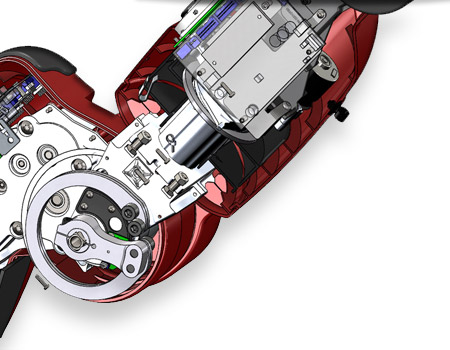
Selective Part Section View in Assemblies
Select the components you want to include (or exclude) when creating a section view, and quickly develop multiple ways to investigate assemblies.
- Faster sectioning with greater flexibility
- Create focused views of external designs and internal mechanisms
- Easily gain insight into the internal components of a design
 |
SolidWorks Composer Datasheet |
 |
Contact Us |
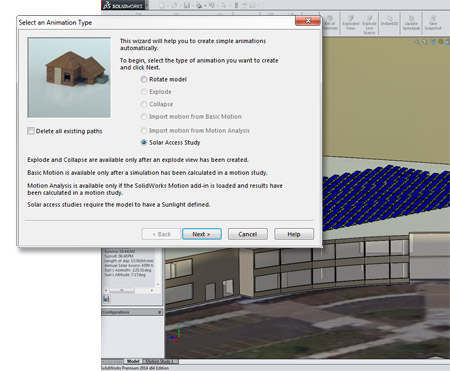
Solar Access Study
Set a defined date, time, and geographic location to create high-fidelity renderings that accurately simulate lighting from the sun.
- Easily account for real-world shadow and light position at any given date and time
- Use the wizard to quickly create a Solar Access Study for a high-resolution lifelike animation
- Maximize (or minimize) sun exposure or avoid shadow using important positioning data
|
SolidWorks Premium Datasheet |
|
Get a Quote |
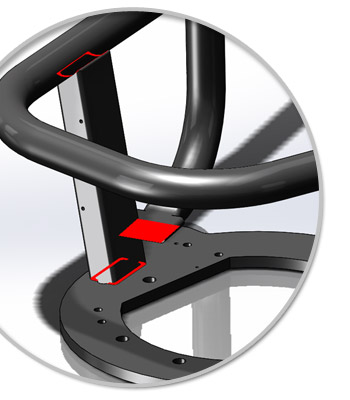
Contact Pair Visualization in SolidWorks Simulation
Naturally visualize all contacts and connections defined in a SolidWorks Simulation analysis to clearly understand contact relations between the different components of an assembly.
- Gain a clear understanding of what contacts are defined and how parts interact
- Increase understanding of simulation model setup
- Quickly identify any necessary changes
|
SolidWorks Simulation Datasheet |
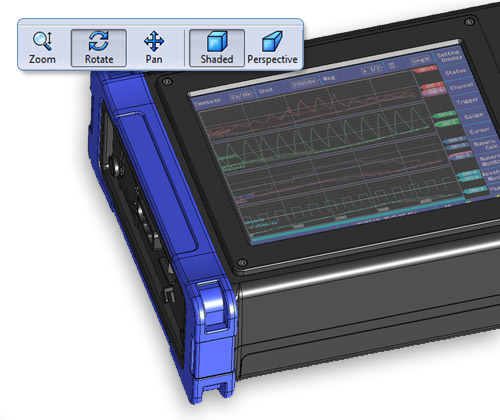
Immersive Experiences to Expand Collaboration for Product Development
Improve and expand collaboration across multiple disciplines by providing immersive experiences for all users, regardless of CAD experience.
- Unique eDrawingsR capabilities bring models to life with Augmented Reality
- Visualize, rotate, zoom, or section models in 3D, positioned in their environment
- View and animate exploded views with translations and rotations
- Display multiple SolidWorks Flow Simulation results and SolidWorks Electrical files
|
SolidWorks Electrical Datasheet |
|
Get a Quote |
Powerful new features and time-saving shortcuts increase design output
Improved user interface and simplified process steps help you get work done faster
Faster system response and automated processes keep you focused on design
Powerful visuals and lifelike product experiences make it easier to collaborate
Integrated production-proven solutions help expand your business opportunities
Additional Resources
 |
SolidWorks 2014 Premium Datasheet Get detailed product informationGet detailed product information |
 |
What's New in 2014 Check out the top new features in SolidWorks 2014 |
