


Assembly Explode
Add rotation to components so you can communicate product assembly processes clearly on drawings and in animations.
- Get more flexibility over part orientation in exploded views
- Create rotational explode steps and synchronize with translational steps
- Easily simulate movements, such as doors opening or fasteners unscrewing
 |
SolidWorks Premium Datasheet |
 |
Get a Demo |
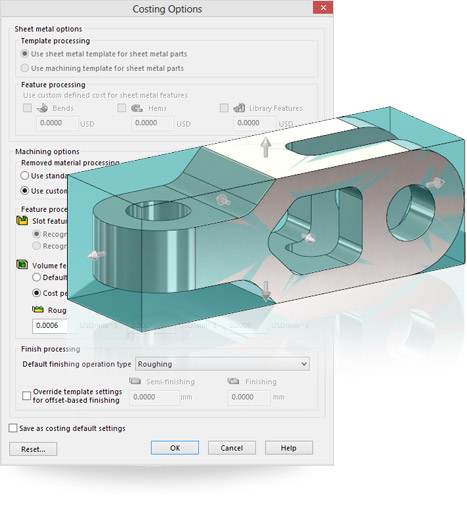
Quick Volume-Cut Costing
Quickly calculate machining costs for a part—without having to set up templates.
- Simple one-click method extracts a rough cost estimate
- Calculation based on “cost per volume” for all machining operations, instead of feature recognition
- Quickly estimate costs to keep projects within budget
|
SolidWorks Premium Datasheet |
|
Get a Quote |
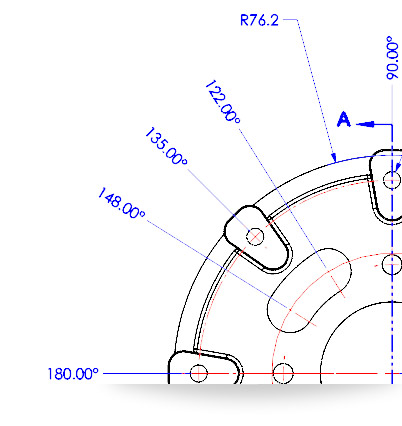
Angular Running Dimensions
Quickly and accurately document circular hole patterns and other radial features in a clear and concise way.
- Automated creation of angular ordinate dimensions
- Finish drawings faster while meeting documentation requirements
- Match your company standards and comply with previous 2D drafting methods
|
SolidWorks Premium Datasheet |
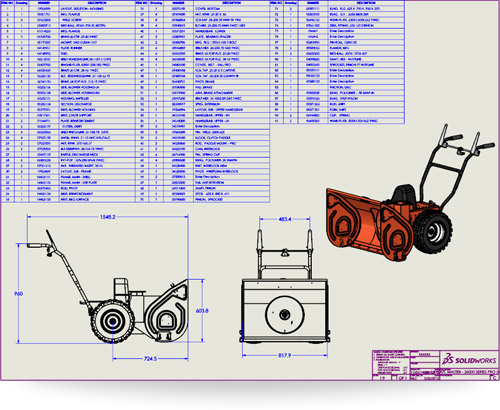
Auto-Limit Rows in Tables
Automatically split tables on drawings based on a maximum number of rows.
- Save time by not having to reorganize tables
- Easily remove or add items
- Maintain standard format for drawing tables
|
SolidWorks Enterprise PDM Datasheet |
|
Contact Us |
Powerful new features and time-saving shortcuts increase design output
Improved user interface and simplified process steps help you get work done faster
Faster system response and automated processes keep you focused on design
Powerful visuals and lifelike product experiences make it easier to collaborate
Integrated production-proven solutions help expand your business opportunities
Additional Resources
 |
SolidWorks 2014 Premium Datasheet Get detailed product informationGet detailed product information |
 |
What's New in 2014 Check out the top new features in SolidWorks 2014 |
